When your team starts to grow and the tasks no longer fit in a WhatsApp chat or a shared notebook, the Trello vs Asana comparison is almost inevitable: they are two of the project management tools most used by small teams around the world. Both help you organize tasks, assign managers, and see the team's progress at a glance, but they differ quite a bit in how they do it and how far they let you go for free.
In this article we compare price, ease of use, automations and real functions of both platforms to help you decide which one is best for your SME. This guide on Trello Asana summarizes the criteria that should be reviewed before choosing.
Trello Asana: criteria and guide
Trello: simple kanban boards to organize tasks
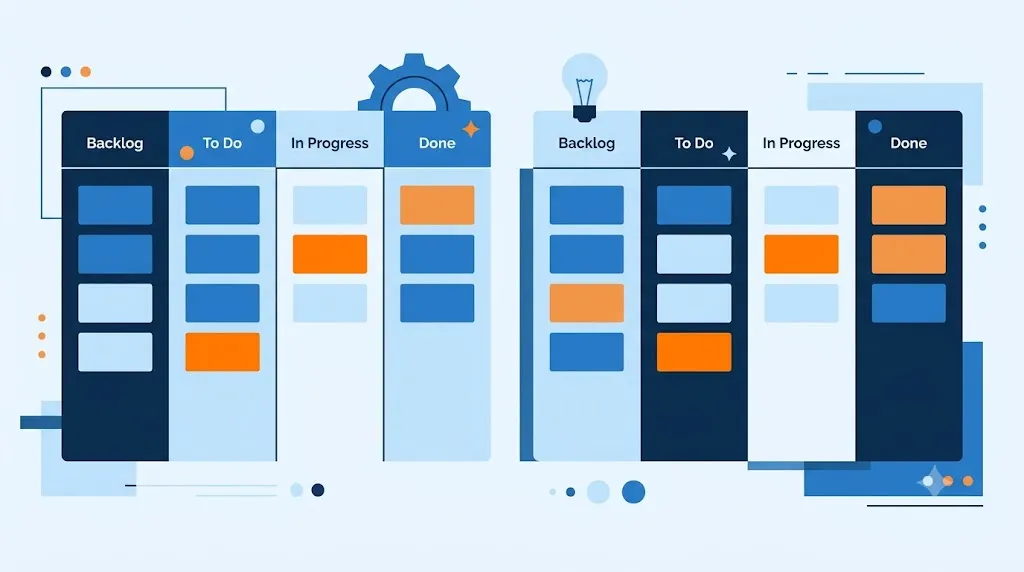
Trello organizes work with kanban-style boards: columns that represent stages, such as “To Do,” “In Progress,” and “Done,” and cards that move from one to another as each task progresses.
Asana: more structure, lists and reports for the team
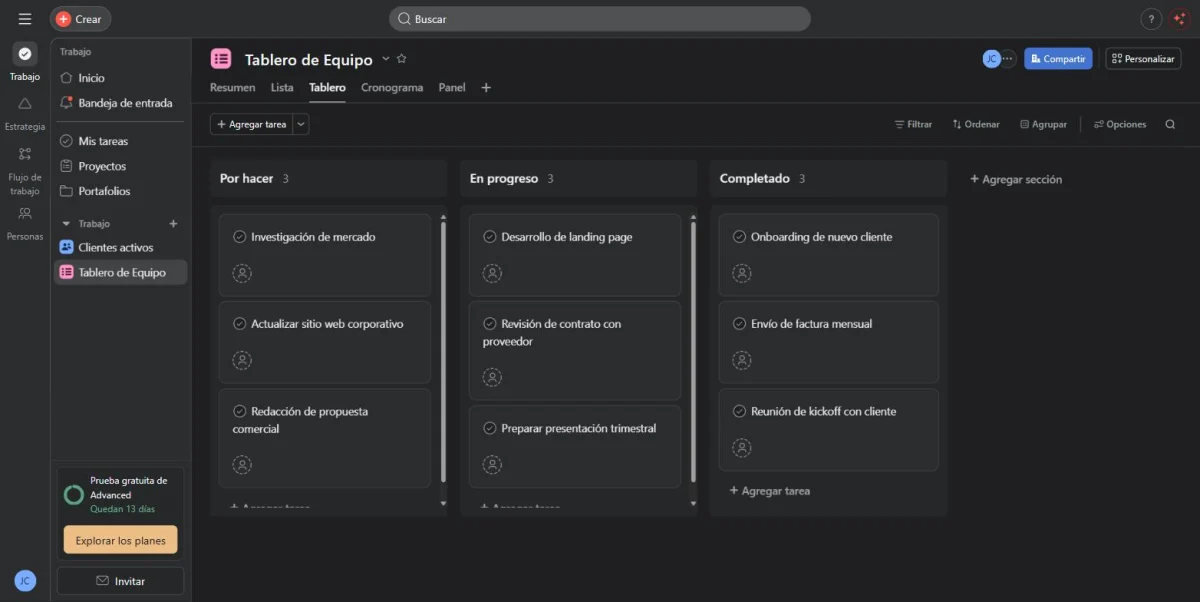
Asana, on the other hand, goes one step beyond the visual board: in addition to kanban views, it offers task lists, Gantt-type schedules, and reporting panels that show the actual progress of each project. It also allows you to create dependencies between tasks, so that one task cannot be marked as started until another task finishes, something that Trello does not resolve natively. That additional structure is exactly what makes the difference between Trello and Asana when the team begins to manage several projects in parallel. The learning curve is a little higher than Trello, but in exchange you get a much more complete view of the workload of each person on the team.
Trello vs Asana: prices and plans in 2026
Trello Free Plan Official Limit
The official Trello pricing page indicates that the Free plan allows up to 10 collaborators per workspace and up to 10 boards per workspace. Before publishing a price comparison, also review which views, automations, Power-Ups, and administrative controls are included in each plan.
| Check | What to review in Trello Free | Why it matters |
|---|---|---|
| Collaborators | Up to 10 per Workspace. | The limit applies to the workspace, it is not an unlimited license for large teams. |
| Boards | Up to 10 per Workspace according to the current official pricing page. | A portfolio with many clients or projects may reach the limit sooner than expected. |
| Advanced Features | Check views, fields, automations, and administration. | The cheap plan may not cover the reporting, monitoring, or scalability that your team needs. |
See official Trello limits before hiring; trading conditions may change.
When deciding between Trello vs Asana, price usually tips the balance, especially if your team is still small. Both tools offer a reasonable free plan, but with different limits that should be reviewed before committing to one, since what at first glance seems “free forever” may have a lower ceiling than you expect:
| Plan | Trello | Asana |
|---|---|---|
| Free | Up to 10 boards and 10 collaborators per space, unlimited cards, 10 MB per file | Up to 2 users, unlimited tasks and projects, unlimited storage (100 MB max per file) |
| Intermediate plan | Standard: $5/user/month (billed annually) | Starter: 10.99 USD/user/month (billed annually) |
| Advanced plan | Premium: $10/user/month (billed annually) | Advanced: $24.99/user/month (billed annually) |
| Companies | Enterprise: $17.50/user/month (billed annually) | Enterprise: price to consult with sales |
Be careful with an important detail: Asana's free plan limits the number of users to only 2, while Trello's rather limits the number of boards and storage per file. If your small team is already 4 or 5 people, that difference may be just what decides between Trello vs Asana for your case, because in Asana you would need to pay from user number 3.
Ease of use: which one does your team learn the fastest?
If most of your team has never used project management software, Trello usually wins here: dragging cards from one column to another is a metaphor that almost anyone understands within the first five minutes, without the need for tutorials or prior training. Asana, with more views and configurations available, requires a little more adaptation time, although in exchange it gives more control once the team is accustomed to its reports and custom fields.
A good sign to decide: if your projects are simple and linear, Trello's learning curve is almost not noticeable; If you manage tasks with cross-dependency and dates between multiple people, that extra time spent in Asana is usually recovered within a few weeks.
Automations and integrations
Both platforms include automations without the need to program: Trello with its Butler engine, even included in the free plan with 250 executions per month, and Asana with unlimited automation rules from the Starter plan. In terms of integrations, both connect with Slack, Google Drive and Microsoft Teams, among many other tools that your SME probably already uses. Therefore, before deciding, it is worth reviewing each one's catalog of integrations: a missing integration with the tool that the rest of your team uses may end up weighing more in the decision than the monthly price.
What happens if you want to change tools later?
Neither decision is final. Both Trello and Asana allow you to export your boards and projects to CSV at any time, and there are importers that take data from one platform to the other almost directly. Even so, it is a good idea to manually check that the automations, custom fields, and attachments have been migrated correctly, since that is the part that is most often lost in a migration of this type.
Trello vs Asana: which one to choose based on the size of your team?
For teams of 1 to 5 people with simple projects, Trello is almost always sufficient and cheaper. For teams of 6 people or more, with several projects running at the same time and the need for reports, Asana usually justifies its additional cost. If, in addition to organizing tasks, your SME also needs to organize its clients, you may be interested in our guide on how to choose a CRM according to the size of your company; and if you still keep that control in a spreadsheet, here we explain how to migrate from Excel to a CRM without losing data.
Trello vs Asana FAQ
Trello's official pricing page lists up to 10 collaborators and up to 10 boards per workspace on the Free plan; Check the current page before contracting.
Trello is usually more immediate for a visual Kanban flow; Asana can provide more structure when you need lists, owners, dates, and project tracking.
Compare user and dashboard limits, views, automations, integrations, permissions, export, support, and ease of team adoption.
Is Trello or Asana better for a team of 3 people? For such small teams, Trello is usually enough and it is also free with no time limit, while Asana's free plan already falls short because it limits only 2 users.
Can I migrate my Trello boards to Asana, or the other way around? Yes, both tools allow you to import projects from CSV or directly from the other platform, although it is advisable to manually check that the automations are not lost in the process.
Which of the two has the better mobile application? Both have solid native apps for iOS and Android; Trello stands out for its simplicity to review cards quickly, while Asana offers more reporting functions also from your cell phone.
Is it worth paying for Trello or Asana if my team is small? Not necessarily. If the free plan covers your boards, collaborators, and storage, there's no reason to pay until your team or projects really grow.
Order your task flow
Before deciding between Trello and Asana, try a basic structure with our task and project tool for SMEs.
[[S0]][[S1]]Trello vs Asana: in summary[[S2]][[S3]]
There's no single answer to the Trello vs Asana debate: it all depends on how simple or complex your projects are and how many people need to collaborate at once. If you're looking for something visual and quick to adopt, Trello is the safest bet for a small team that's just starting to get organized. If your team already coordinates multiple cross-scheduled projects and needs clear reporting, Asana is worth the extra learning curve and extra cost. In the next article in this category we compare Notion vs ClickUp, another popular duo among SMEs looking for something a little more complete.