You pay for Gmail for your company, but you also paid for Office licenses for the accounting team. This duplicate expense is almost never noticed at first, although it ends up weighing on the budget. Deciding between Google Workspace vs Microsoft 365 then becomes an important decision for any SME. In practice, both suites solve the same thing: mail, documents and cloud storage. Even so, the price and way of working change quite a bit from one to the next. That difference should guide your choice, beyond the brand you already know.
Table of Contents
What really decides whether you choose Google Workspace vs Microsoft 365
Before comparing Google Workspace vs Microsoft 365 in detail, define what your team uses today. Most SMEs already have a cloud mail service installed, even if they don't take full advantage of it. The chat tool your team has already chosen also weighs into the decision. For example, we thoroughly reviewed the difference between Slack and Microsoft Teams in our previous article. That crossover with team chat matters, because Microsoft 365 already includes Teams in almost all of its plans. On the other hand, Google Workspace does not come with such a complete chat alternative by default.
Google Workspace: prices and what each plan includes

Google Workspace plans for SMBs are divided into three main tiers. Business Starter costs $7 per user per month, billed annually, and includes 30GB of storage per user and video calls for up to 100 participants. At the mid-tier, Business Standard goes up to $14 per user per month, with 2TB of storage and meetings for up to 150 participants.
For teams that need more control, Business Plus costs $22 per user per month and adds 5TB of storage, advanced device management, and meetings for up to 500 participants. With no annual commitment, each plan costs 20% more per month. For example, Business Starter goes to $8.40 per user per month in flexible mode. All paid plans include priority support and a 14-day free trial.
Microsoft 365: prices and what each plan includes
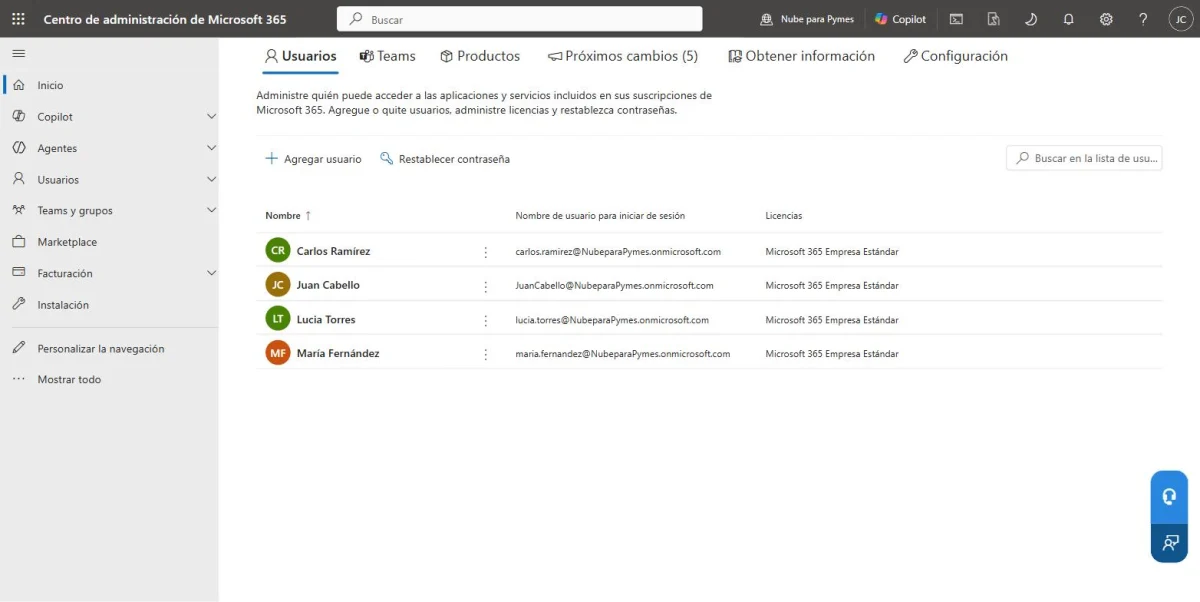
The structure of Microsoft 365 is similar, but Teams appears from the most economical plan. Business Basic costs $7 per user per month, billed annually, and includes web versions of Word, Excel, and Outlook, plus 1TB of storage. The next tier, Business Standard with Copilot, costs $23.50 per user per month and adds desktop versions of Office along with AI features.
For businesses that need more security, Business Premium with Copilot goes up to $32 per user per month and adds advanced corporate device management. If you only need the desktop apps without Mail or Teams, Apps for Business costs $10 per user per month. All paid plans include 24-hour technical support, something the free plan of other suites does not offer.
Comparative table: Google Workspace vs Microsoft 365
| Plan | Google Workspace | Microsoft 365 |
|---|---|---|
| Entrance | Google Starter: $7/user/month (annual), 30GB | Microsoft Basic: $7/user/month (annual), 1TB, includes Teams |
| Intermediate | Google Standard: $14/user/month (annual), 2TB | Standard with Copilot: 23.50 USD/user/month (annual), 1TB |
| Advanced | Google Plus: $22/user/month (annual), 5TB | Premium with Copilot: $32/user/month (annual) |
| Desktop apps only | Not applicable | Apps for Business: $10/user/month (annual), without email or Teams |
Before deciding, calculate the total cost based on the actual number of users in your SME. A plan jump may not be necessary yet if your computer barely uses the included storage.
What to look at besides the price
When comparing Google Workspace vs Microsoft 365, price is not the only variable that matters. Also check how easy it is to migrate your current email without losing history. The Google suite is typically simpler to set up for teams that already use personal Gmail. For its part, the Microsoft option has an advantage when daily work depends on Word and Excel files. Another key point is to decide if you need Teams included from the basic plan. With Google Workspace you would have to add another separate chat tool. It is also a good idea to review the technical support available in each plan, especially if your SME does not have its own IT equipment.
Google Workspace and Microsoft 365 in everyday life
In Google Workspace, documents are saved and edited directly in the browser. That flow simplifies real-time collaboration between multiple people. For its part, Microsoft 365 maintains an advantage for teams that prefer desktop applications. Word and Excel desktop offer more advanced features than their web versions. Additionally, some industries, such as accounting or legal, rely on templates made specifically in Excel. When your team uses complex formulas or macros, Microsoft 365 is often a better fit. Instead, Google Workspace feels more agile if you prioritize speed and simplicity from any device. It's safest to test both suites with real team tasks before migrating everything at once.
How to choose based on what your SME already uses
For teams that already live within Gmail and Google Drive, switching to Microsoft 365 is rarely worth the effort. On the other hand, if you already pay for Office licenses for multiple people, Google Workspace doesn't always save as much as it seems. When team chat is a priority, Microsoft 365 wins by including Teams from the base plan. Still, if your SME also needs to coordinate video calls with external clients, it is worth comparing other options.
Before you decide completely, check out our comparison of the best video calling tools for remote teams. Zoom and Google Meet also come into play, two alternatives that many SMEs end up adding anyway. Either way, neither platform requires long contracts, so switching later is still possible.
Storage: 30GB Drive vs 1TB OneDrive
Storage can change the outcome of the comparison even when the price per user seems similar. The figure is not completely equivalent: Google speaks of storage grouped per user in the organization, while OneDrive is presented as individual storage per user within Microsoft 365.
| Reference plan | Advertised storage | What it means for an SME |
|---|---|---|
| Google Workspace Business Starter | 30 GB pooled per user | It is shared within the organization's pooled storage; includes mail, Drive and services subject to plan conditions. |
| Microsoft 365 Business Basic | 1 TB per user on OneDrive | Individual OneDrive space for work files; SharePoint is Microsoft's choice for advanced organizational content. |
Check region, taxes, promotions and availability of Teams before contracting. Microsoft and Google may show plans with and without certain services depending on the market.
On the official pages consulted, Google Workspace Business Starter announces 30 GB grouped per user and Microsoft 365 Business Basic announces 1 TB per user on OneDrive.
Not necessarily. Pooled storage is managed at the organization level and should be compared to how your team shares mail, Drive, and files.
No. It adds security, administration, document compatibility, collaboration, migration, backups and total cost to the decision.
Google Workspace vs Microsoft 365 FAQ
Which is cheaper, Google Workspace or Microsoft 365? It depends on the plan. At entry levels, both cost $7 per user per month. The real difference appears in the intermediate and advanced plans.
Can I migrate my current email without losing messages? Yes. Both platforms offer assisted migration tools. Even so, it is advisable to plan the migration outside of working hours.
Does Microsoft 365 include Teams in all plans? Yes, except for the Apps for Business plan, which only includes desktop applications without email or chat.
Is it worth paying for the most expensive plan up front? Not always. Start with the basic plan and upgrade only when storage or features really limit you.
Google Workspace vs Microsoft 365: in summary
There's no one-size-fits-all answer between Google Workspace vs Microsoft 365. The choice depends on what tools your team already uses and how much weight you give to the included chat. For teams already living in the Google ecosystem, change is rarely worth the effort. If your SME depends on desktop Word and Excel, Microsoft 365 is still the most convenient option. In the next article we compare the best video calling tools for remote teams. There we evaluate Zoom, Google Meet and other options for your SME.