
Your team sends messages through WhatsApp, email and sometimes even through Google Docs comments. All of this happens at the same time, and something is always lost along the way. Therefore, choosing between Slack vs Microsoft Teams is one of the first serious communication decisions. In fact, it becomes especially important in an SME that is growing rapidly. They both solve the same thing deep down. They centralize the team conversation in one place. However, they integrate differently with the tools you already use. That difference, more than the price, is usually what decides which one is best. This guide to Slack Teams summarizes the criteria that should be reviewed before choosing.
Slack Teams: criteria and guide
What a team chat should solve in your SME
Before comparing Slack vs Microsoft Teams in depth, define what you really need.
Slack: flexible messaging with many integrations

Slack was born as a team chat, and it shows in every detail of its design. Their free plan retains 90 days of message history. In addition, it allows you to connect up to 10 external applications at no cost. That's enough for a small SME that has just tried the tool. The Pro plan costs $7.25 per user per month, billed annually. With it, history no longer has limits. Group meetings via video call are also unlocked.
The Business+ plan goes up to $15 per user per month. Adds artificial intelligence features and more advanced security controls. On the other hand, if your team relies on a lot of external integrations, Slack has the advantage. It tends to connect to more CRM and support tools than Teams. That flexibility is just what attracts marketing and development teams.
Microsoft Teams: the natural option if you already use Office
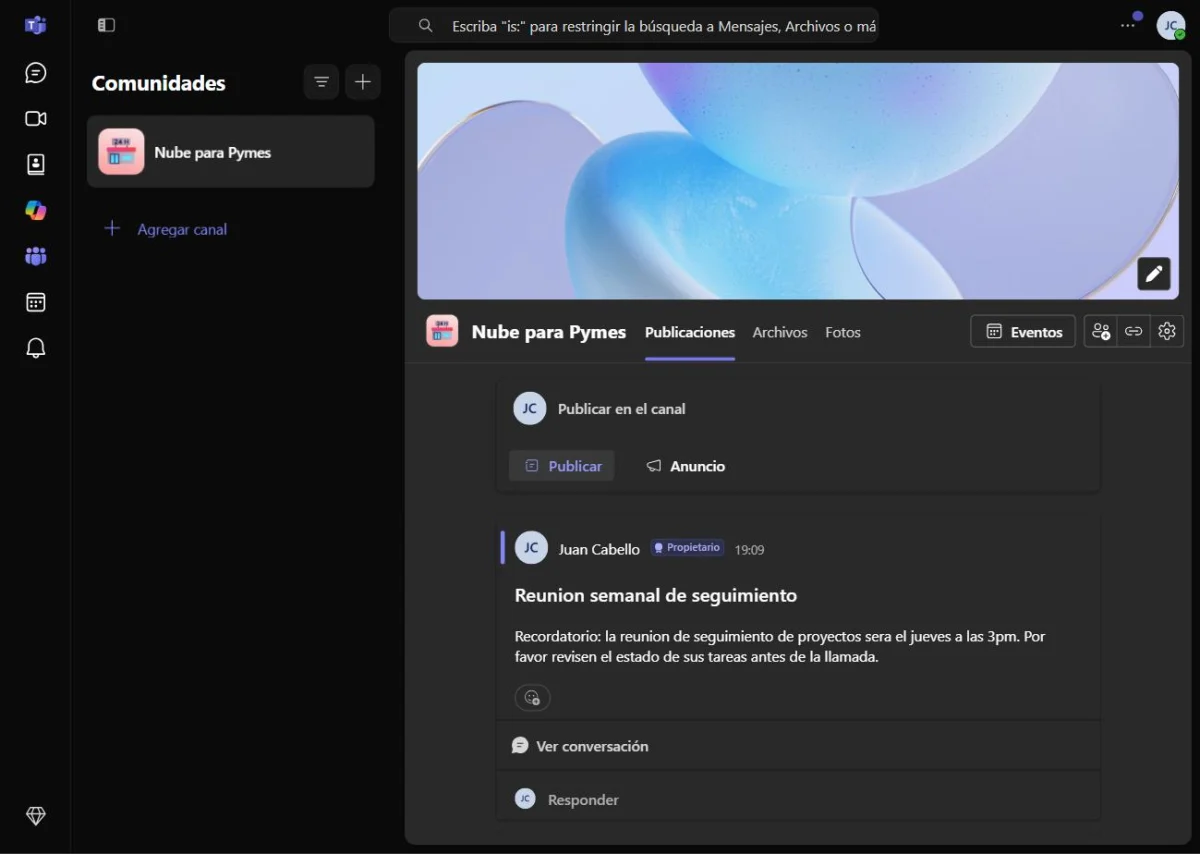
Microsoft Teams makes sense, especially if your SMB already pays for Microsoft 365. The Business Basic plan costs $7 per user per month. Includes Teams along with web versions of Office and 1TB of storage. Its free plan allows meetings of up to 100 people. Of course, it has a limit of 60 minutes per session. It also includes 10GB of shared storage, plus 2GB personal storage per user.
However, that free plan does not allow you to record meetings. For that, you need at least the Essentials plan, which costs $4 per user per month. If your SME already uses Word, Excel and Outlook on a daily basis, Teams has a clear advantage. The team doesn't have to learn a completely new tool from scratch. In fact, that almost zero learning curve is the main reason why many SMEs choose Teams without comparing too much.
Comparative table: Slack vs Microsoft Teams
| Plan | Slack | Microsoft Teams |
|---|---|---|
| Free | 90 days of history, 10 connected apps | Meetings of up to 100 people, 60 minutes per session |
| Basic plan | Pro: 7.25 USD/user/month (annual) | Essentials: $4/user/month (annual) |
| Plan with Office/apps | Not applicable (Slack does not include Office) | Business Basic: $7/user/month, includes Office web and 1TB |
| Advanced plan | Business+: $15/user/month | Business Standard with Copilot: 23.50 USD/user/month |
Before deciding between Slack vs Microsoft Teams, check which tool your SMB already pays for email and documents. That answer usually outweighs any new features the other option offers. For example, paying for two separate subscriptions for email and chat rarely pays off.
What to look at besides the price
Price is only part of the real decision. Also check how easy it is for your team to adopt the tool without lengthy training. Slack tends to feel more natural for young teams accustomed to messaging apps. Microsoft Teams, on the other hand, integrates better if the team already lives within the Office ecosystem. On the other hand, consider how many group video calls you need per week. Therefore, if there are few, either of the two is enough without problem. It is also worth reviewing administration controls. Teams typically offers more enterprise security options from the most basic paid plan. This matters especially if your SME handles sensitive customer data or signed contracts.
Free tool: Operational Tasks and Projects
Before paying for a platform, define tasks, responsible parties and dates. A simple flow allows you to evaluate software with a real process, not just a list of features.
Slack and Teams in practice: two different workflows
In Slack, work revolves around topical channels, each with its own purpose. For example, a small team might have one channel per project, another for announcements, and another just for team banter. In Teams, however, each team has its own space. There are tabs for chat, files and meetings in the same place.
That structure feels closer to a shared folder than a loose chat. Neither approach is better in the abstract. It depends on how your team already organizes daily work. If your SME is just beginning to formalize processes, Teams imposes a little more order from the beginning. That's why some technical teams still prefer the freedom of Slack, even if they have Office available.
How to choose based on what your SME already uses
If your SME already pays for Microsoft 365 for email, Teams is almost always cheaper overall. If you use Gmail or Google Workspace instead, Slack tends to integrate better. This way you avoid paying more for a Microsoft ecosystem that you don't use for anything else. When the team relies on a lot of external integrations, like CRM or support tickets, Slack still has the advantage. On the other hand, if you are looking to save on licenses by combining chat, documents and video calls in a single payment, Teams wins for total price. If your budget is really tight, also check out our guide on best free alternatives to Slack. There we cover options before paying for Slack vs Microsoft Teams or any other paid alternative.
Quick decision rule: Microsoft 365 or Google Workspace
The rule of thumb is simple: if you already pay for Microsoft 365, start with Free Teams and check which features are covered by your license and your market. If your SME works on Google Workspace, Slack tends to be a better fit when you prioritize independent channels, integrations and collaboration with external tools; always check your current limits in official Slack pricing page.
| Current situation | First option to try | Reason |
|---|---|---|
| You already pay for Microsoft 365 | Microsoft Teams | You take advantage of identity, files and calendar of the ecosystem; confirms the license. |
| You already use Google Workspace | Slack | Separation by channels and integrations with third-party tools. |
| You don't have a dominant suite | two week trial | Compare adoption, guests, search and actual cost with the same flow. |
There is a free version of Teams, but features, limits, and availability may vary by account type, plan, and market; Check the official offer before hiring.
It is an initial rule, not an obligation. Slack may be a fit if your team needs specific channels and integrations; Also compare Google Chat and the total cost.
A real flow for two weeks: conversations by project, files, guests, search, notifications and data export or retention.
Slack vs Microsoft Teams FAQ
Which is cheaper, Slack or Microsoft Teams? Depends on the package. Only, Teams Essentials costs less. But if you already pay for Microsoft 365, Teams is practically included in the plan.
Can I use the free plan of either of them forever? Yes. However, both have limits on history, storage or meeting duration that should be reviewed beforehand.
Which has better video calls, Slack or Teams? Teams is more designed for long group video calls. Slack, on the other hand, prioritizes chat, and its calls are simpler and more direct.
Can I migrate from Slack to Teams later without losing history? It is possible to export channels and messages, but the process is not automatic. It is advisable to plan it in advance, not at the last minute.
Slack vs Microsoft Teams: in summary
There is no single answer between Slack vs Microsoft Teams. It depends on what tools your SME already pays for and how your team works. If you already live in the Microsoft ecosystem, Teams simplifies everything from the start. If you prioritize external integrations and more streamlined chat, Slack is still hard to beat. In the next article we compare Zoom against Google Meet. This is how we complete the other half of your SME's communication: video calls.


Pingback: Free Slack Alternatives for Small Teams
Pingback: Best Video Calling Tools for Remote Teams
Pingback: Best Survey and Customer Feedback Tools
Pingback: Zoom vs Google Meet: Cuál es Mejor para Reuniones de Trabajo
Pingback: Google Workspace vs Microsoft 365: Price Comparison