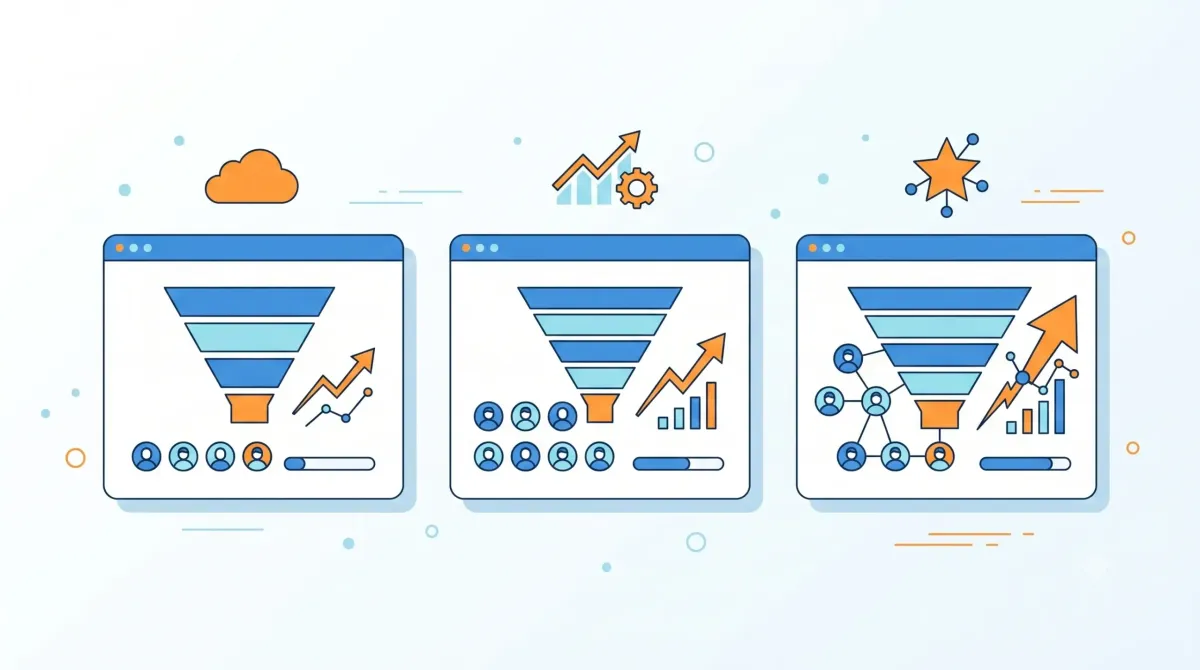
Have you already decided that your business needs a CRM, but you don't know which one to choose from dozens of options? Therefore, the correct question is not "what is the best CRM?", but rather how to choose a CRM that fits the real size of your team — because the ideal tool for a freelancer is completely different from the one needed by a company of 30 people. This guide on company size summarizes the criteria that should be reviewed before choosing. company size: this guide summarizes criteria, limits and steps for choosing with context.
Company size allows you to compare functions, limits and context before deciding. Company size allows you to compare functions, limits and context before deciding. Company size allows you to compare functions, limits and context before deciding.

Company size requires comparing functions, limits and context before deciding.
company size: criteria and guide
If you are still not sure what exactly this tool is, we recommend you first read What is a CRM and what is it for?.
Decision matrix by company size
These ranges are an operational guide for comparing CRM needs, not a legal definition of business size. The business process, the number of users, and the complexity of permissions may matter more than the total headcount.
| Company type | Guidance team | CRM priority | What to check before choosing | Starting point |
|---|---|---|---|---|
| Microenterprise | 1-3 people | Contacts, tracking, tasks and a simple pipeline view. | Free plan, user limit, CSV import, mobile and easy to get started. | Free CRM or a lightweight database if the process is still simple. |
| Small business | 4-15 people | Opportunity assignment, basic permissions, automations and shared reports. | Included users, roles, automations, integrations, support and cost per seat. | CRM with multi-user pipeline and clear monitoring rules. |
| Medium company | 16-50 people | Multiple teams, differentiated processes, data governance and business forecasting. | Advanced permissions, auditing, API, security, SLA, support, migration and scalability. | Platform with central administration, integrations and implementation budget. |
Quick rule: chooses based on the actual complexity of the process, not just the number of employees. A microbusiness with multiple lines of business may need advanced permits; a 15-person company with a simple process can start with a lighter solution.
How to choose a CRM: why the size of your company matters
Many businesses make the same mistake: they choose the most popular platform or the one a colleague uses, without considering whether it fits their reality. A system designed for large teams may be unnecessarily complex for someone working alone; and one designed for a single user falls short as soon as you hire your first salesperson.
Let's see what each type of business needs, according to standard small and medium business classification.
Free tool: CRM and Commercial Pipeline
Before hiring software, organize contacts, stages and follow-ups in a basic pipeline. This way you can identify the functions that your operation really needs.
If you have 1 to 5 people
In this range, the most important thing is simplicity. You don't need advanced automation or complex reporting — you need to stop losing opportunities due to lack of follow-up.
- Prioritize: free plans, simple interface, functional mobile app
- Avoid: platforms requiring extensive technical configuration
- Typical options: check out our comparison of the best free CRMs in Spanish
If you have 6 to 20 people
Here it is worth thinking about teamwork: several users viewing the same customer history, task assignment and some basic automation.
- Prioritize: generous user limit, tracking automations, reports per seller
- Avoid: free plans that limit 1-3 users (you'll outgrow them quickly)
- Useful comparison: check out our analysis of HubSpot vs Zoho, both with good options for this range
If you have more than 20 people or several departments
At this point, the platform needs to really scale: role permissions, integrations with other tools (billing, marketing, support), and more sophisticated reporting.
- Prioritize: robust integrations, granular permissions, priority vendor support
- Avoid: solutions designed exclusively for small teams, as they tend to fall short in customization
At this size, it's worth investing time in a guided demo with the provider before deciding, rather than relying on the free plan alone.
Signs that you've outgrown your current tool
Regardless of size, these signs indicate it's time to migrate to a more robust system:
- Your team begins to duplicate information because the system does not centralize it well
- You need to constantly export data to Excel to make reports that the platform does not generate
- The provider's customer support does not respond at an acceptable rate for your operation
- You already pay for several "patches" (other apps) to cover what the current system does not do
Common mistakes when choosing a CRM
In fact, these are the mistakes we see repeated most among small businesses:
- Choose by price only: the cheapest thing today can be expensive if you migrate in 6 months
- Do not involve the team that will use it: if the sales team hates it, they're not going to use it well, no matter how good it is
- Over-buy features: pay for advanced automations that you will never configure
- Do not try the free plan before paying: almost all offer a free version — use it before you commit
Frequently asked questions
¿Puedo empezar con un plan gratuito y escalar después?
Sí, es la estrategia más recomendable. La mayoría de proveedores permiten actualizar el plan sin perder tu información.
¿Qué pasa si mi equipo crece más rápido de lo esperado?
Por eso conviene elegir una plataforma con buen soporte para escalar, aunque empieces en el plan más básico — cambiar de proveedor por completo es más costoso que subir de plan dentro del mismo.
¿Es mejor elegir el CRM más completo desde el inicio?
No necesariamente. Un sistema sobredimensionado para tu equipo actual solo añade complejidad innecesaria y cuesta más de lo que usas.
How to choose a CRM: in summary
Ultimately, there is no “best CRM” in the abstract — there is the best CRM for the current size and stage of your business. Start by identifying what range of employees you are in, try the free plan of 1-2 options, and involve who is actually going to use it every day before deciding.
If you work alone, the next article in this series answers just that question: CRM for freelancers, is it worth it or is it overkill?
Frequently asked questions
Compare the number of users, business process complexity, permissions, and data volume. A micro business may prioritize simplicity, while a larger team often needs roles, automations, and reports.
You should prioritize a simple interface, access for the people who will actually follow up, and enough features to not turn the tool into an administrative burden.
Not necessarily. It is more prudent to contract the plan that solves the current process and review limits, export and expansion costs before the team increases.