Every week you repeat the same task: copy data between two apps, reply to the same type of email, update a spreadsheet. The best AI tools for automating repetitive tasks eliminate that work without coding. Here we compare three real options, with their free plans and their exact limits, so you can choose the one that really solves your case. This guide on AI automating tasks summarizes the criteria that should be reviewed before choosing. AI automate tasks: This guide summarizes criteria, limits, and steps for choosing with context.
AI automating tasks allows you to compare functions, limits and context before deciding. AI automating tasks allows you to compare functions, limits and context before deciding.
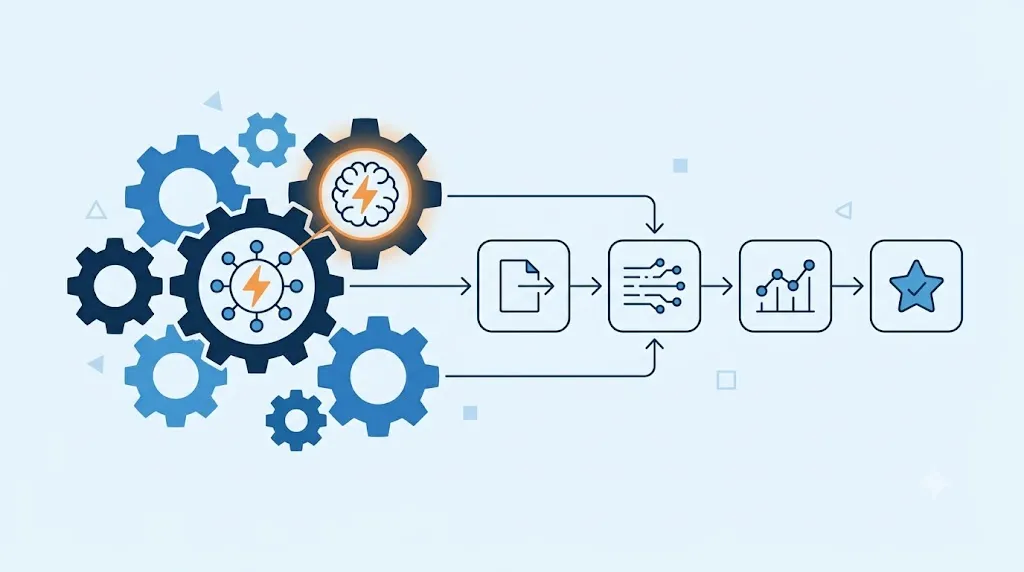
AI automating tasks requires comparing functions, limits and context before deciding.
AI automate tasks: criteria and guide
automate repetitive tasks: criteria and guide
What to look for in an AI tool to automate tasks
Before choosing, define how technical your team is. If no one in your business programs, you need a simple, visual tool. If, on the other hand, you have someone with technical knowledge, you can take advantage of more flexible and cheaper options in the long term. Also check how many monthly runs you need, because free plans limit that number differently on each platform.
Zapier: the simplest option, now with integrated AI
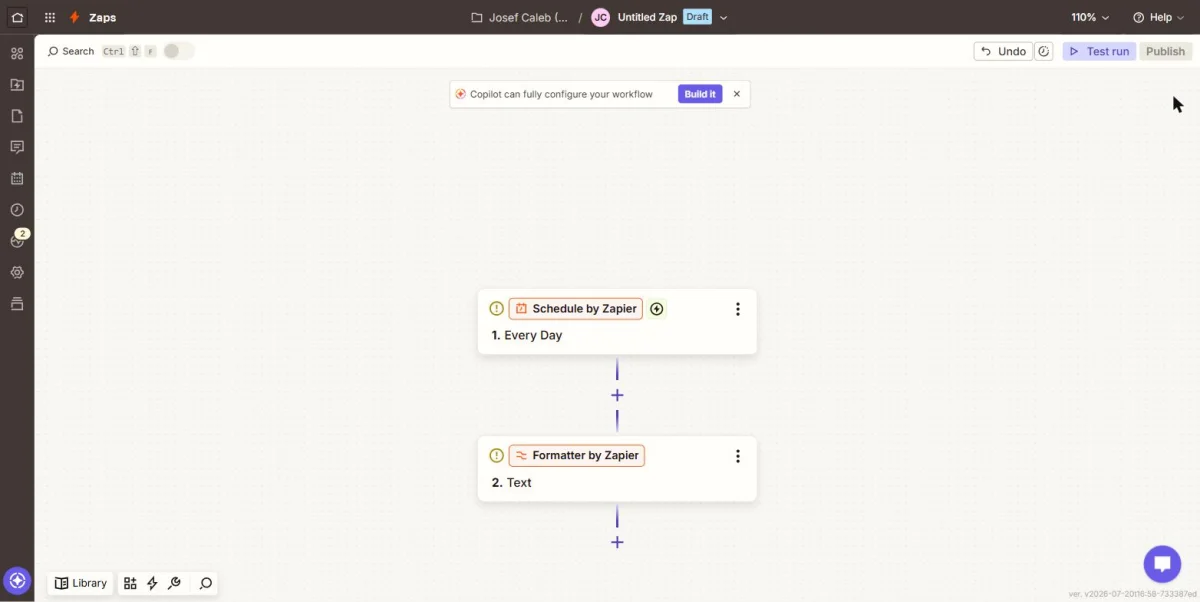
Zapier offers a free plan with 100 tasks per month, although it limits each flow to a single step. The Professional plan, starting at $19.99 per month, eliminates that limit and adds multiple steps. In addition, Zapier already integrates Copilot, an assistant that assembles complete flows from a text description. So if your team doesn't have a technical background, Zapier is often the simplest entry point.
Make: more flexible, with AI included in all plans
Make offers 1,000 free trades per month, with a maximum of two active flows at a time. The Core plan, from 12 USD per month, goes up to 10,000 operations and eliminates that limit on active flows. Unlike Zapier, Make includes its AI features in all plans, at no additional cost. Of course, Make's visual interface requires more learning time than Zapier's.
n8n: the free option for businesses with a technical team
n8n is from open source and can be installed for free on your own server, with no limit on executions. If you prefer not to install anything, the Starter cloud plan costs €20 per month, with 2,500 runs included. It also adds an integrated AI agent node, useful for building more complex automations. Therefore, n8n is best suited for businesses that already have someone with technical knowledge on the team.
AI tools to automate tasks in practice
A small business that only needs to connect two apps without complications finds the fastest solution in Zapier. A company that already uses several artificial intelligence tools wins more with Make, because it includes them at no extra cost. A business with a developer on the team saves money in the long run with self-hosted n8n. Neither of these options is superior in the abstract. The right decision depends on how much your team knows how to program.
Comparison table: AI tools to automate tasks
| Tool | Free plan | Plan paid from | Ideal for |
|---|---|---|---|
| Zapier | 100 tasks/month, single-step flows | 19.99 USD/month (Professional) | Teams without technical experience |
| Make | 1,000 operations/month, 2 active flows | 12 USD/month (Core) | Businesses that already use several AI apps |
| n8n | Unlimited if self-hosted | 20 EUR/month (Starter, in the cloud) | Businesses with their own technical support |
Before you decide, confirm how many automations you need to run each month. That figure determines whether each tool's free plan is really enough for you.
What to look at besides the price
The free plan is rarely enough for a business that already relies on automation every day. Check how many steps each flow allows on the free plan, because Zapier aggressively limits that. It is also worth checking if you need to connect very specific apps, because not all platforms integrate them equally well. On the other hand, think about who will maintain the automations if the person who created them leaves the team. Of course, all three platforms offer a free plan to try before paying.
Free tool: Operational Tasks and Projects
Before paying for a platform, define tasks, responsible parties and dates. A simple flow allows you to evaluate software with a real process, not just a list of features.
How to choose according to the type of tasks you want to automate
If you want to automate simple and specific tasks, the free Zapier or Make plan is usually enough. If your priority is to automate processes between just two specific tools, check out our in-depth comparison of Zapier vs Make, with more detail on each plan. And if what you are looking for is to automate customer service, not internal processes, also review our guide on how to use ChatGPT for automated customer support.
FAQs on AI tools to automate tasks
Do I need to know how to program to use these tools? No, Zapier and Make work with visual interfaces. n8n too, although it makes better use of those who know how to program.
Which of these tools is totally free? n8n, if you install it on your own server. The other two limit their free plan by tasks or operations.
Do these tools replace an employee? No. They automate repetitive tasks, but someone must configure them, review them, and adjust them when processes change.
Can I migrate my automations from one platform to another? Not directly. Each platform uses its own format, so migrating involves redoing the flows.
AI tools to automate tasks: in summary
Choosing between these AI tools to automate tasks depends on how well your team knows how to code and how many runs you need each month. Zapier wins in simplicity, Make in flexibility, and n8n in cost if you have technical support. In the next article we compare Zapier vs Make in depth, with detailed prices and features of each plan.