
The biggest brake on growth for a small business is usually not a lack of customers, but rather internal operational collapse: orders that are managed by single WhatsApp messages, quotes that take two days to respond to, and hours spent copying data between Excel and the billing system.
Digitizing and automating processes does not require expensive programmers or months-long projects. Today there are no-code tools designed so that any SME owner can create automated workflows in a matter of hours.
1. Why traditional digitalization failed in SMEs
For years, digitizing a business meant purchasing heavy software, paying annual licenses up front, and spending months training staff. The usual result was abandonment and frustration.
The new methodology is based on three rules:
- Automate over already proven processes: Never try to automate a messy process; first simplify it by hand and then automate it.
- Modular tools: Use lightweight tools that solve a specific problem and are easily connected to each other.
- Focus on saving real hours: Always prioritize tasks that consume time every day, not those that occur once a month.
2. Methodological Framework: The 4 Phases of Digitalization
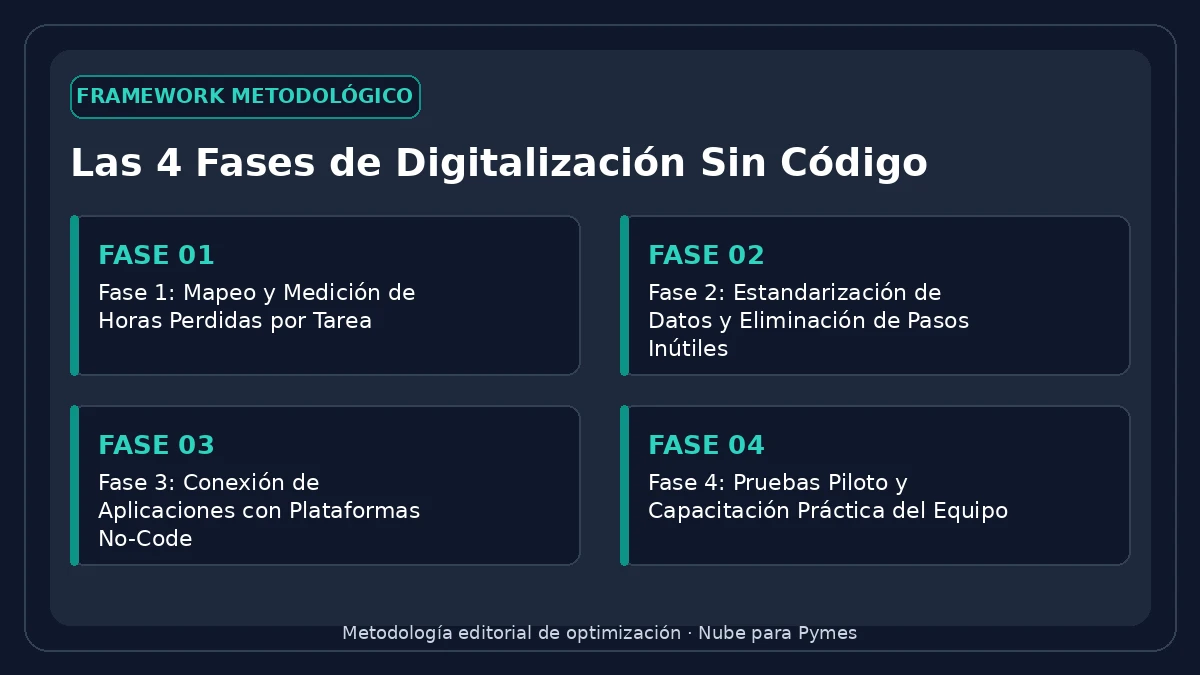
To make an automation work without errors or technical dependencies, follow this proven sequence:
- Mapping: Time the exact time your team spends copying and pasting data or generating routine documents.
- Standardization: Define fixed formats for orders, quotes and customer files before connecting any tool.
- Integration: Connect your web forms or sales channels directly with your database or accounting system.
- Validation: Monitor runs for two weeks to ensure no data is lost along the way.
3. Decision Matrix: Which Tasks to Automate First
| Process | Frequency | Operational Impact | Implementation Difficulty |
|---|---|---|---|
| Generation of invoices and receipts | Daily | Very High (avoids tax errors) | Low (via direct integrations) |
| Sending standard quotes | Daily | High (reduces response time to minutes) | Medium (automatic templates) |
| Stock and inventory update | Continue | Critical (avoid selling out of stock products) | Medium |
| Collection reminders | Weekly | High (improves cash flow) | Unsubscribe (scheduled emails and messages) |
4. Recommendations to keep your flows stable
- Document who is responsible for each flow: Although the process is automatic, there must be a person assigned to review error alerts.
- Keep backup copies: Any data that travels between systems must be periodically backed up in a database or cloud storage.
- Try low volumes first: Before launching an automation to your entire customer base, test with 5 or 10 controlled transactions.
Frequently Asked Questions (FAQ)
What administrative tasks are the first to automate?
The tasks with the highest return are repetitive billing, sending estimates or quotes, registering customers from web forms to the CRM and synchronizing inventories between channels.
Do you need to know how to program to digitize an SME today?
No. No-code platforms and integrated tools allow you to connect databases, emails and accounting systems through intuitive visual interfaces.
How long does it take to implement the first automation?
A basic data transfer flow between two applications typically takes 1 to 3 hours of initial setup.